<link href="https://fonts.googleapis.com/css2?family=Roboto:wght@100;300;400;500;700&amp;display=swap" rel="stylesheet" /> <link href="https://fonts.googleapis.com/css2?family=Montserrat:ital,wght@0,400..700;1,400..700&amp;display=swap" rel="stylesheet" />
KukiMuki mobile app preview

Mobile App

How to Install

Android Installation

Step 1

Open kukimuki.com in Chrome
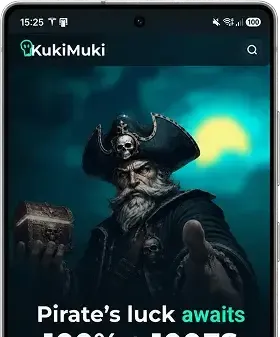
Step 2

Tap the Download App or Install App button

Step 3

Confirm the installation when prompted

Completed

KukiMuki is now installed and available in your app list and on your Home Screen.

Android Installation (No Download Button)

Step 1

Open kukimuki.com in Chrome

Step 2

Tap the
menu in the top-right corner

Step 3

Select one of the following options:

  • Install App
  • Add to Home Screen
  • Install KukiMuki

The exact option may vary depending on your Android version.

Step 4

Tap Install and confirm the installation

Completed

KukiMuki is now installed and available in your app list and on your Home Screen.

Troubleshooting

If installation is not available:

  • Make sure you're using Google Chrome
  • Open the website directly, not inside Telegram, Facebook, or another app's built-in browser
  • Ensure the page has fully loaded
  • Check that your Android version is up to date
  • Try refreshing the page and waiting a few seconds before opening the menu.

Tip:

For the best experience, allow notifications when prompted after launching the installed app. This ensures you receive important updates, exclusive offers, and reminders directly on your device.

FAQ — KukiMuki Mobile App for Android

The KukiMuki mobile app is a Progressive Web App (PWA) that lets you play online casino games, claim bonuses, and manage your account directly from your phone. It opens in full-screen mode from your Home Screen and delivers a fast, app-like experience without downloading from an app store.
Yes. Installing the KukiMuki mobile app is completely free. There are no download fees, subscriptions, or hidden charges — simply add kukimuki.com to your Home Screen and start playing.
Open kukimuki.com in Google Chrome. Tap Install App or Add to Home Screen when prompted, or open the three-dot menu and choose Install App. Confirm the installation and the KukiMuki icon will be added to your app drawer and Home Screen.
Google Chrome is recommended — it shows the Install App prompt most reliably. If the option is missing, open the three-dot menu and look for Install App or Add to Home Screen. Avoid in-app browsers inside Telegram, Facebook, or other apps.
KukiMuki is not listed on Google Play Store. Instead, it is installed as a web app (PWA) directly from kukimuki.com. This method is official, secure, and gives you the same full casino experience as a native app.
Yes. KukiMuki uses encrypted connections (HTTPS) to protect your data and transactions. Your login credentials, payment details, and personal information are handled with the same security standards as the desktop website. Two-factor authentication (2FA) is also available for extra account protection.
Yes. Log in with your existing KukiMuki account and everything syncs automatically — your balance, active bonuses, loyalty points, mission progress, and game history carry over instantly. No need to register again or transfer funds.
Absolutely. The KukiMuki mobile app gives you full access to slots, jackpot games, live casino tables, and all other games available on kukimuki.com. Game performance and graphics are optimized for mobile devices.
Yes. The mobile app supports the same payment methods as the website, including cards, e-wallets, and cryptocurrency. Deposits are processed quickly, and withdrawals are available based on your country and verified payment methods.
Both offer the same games, bonuses, and account features. The installed app launches in full-screen without browser toolbars, loads faster, supports push notifications, and provides one-tap access from your Home Screen — making it more convenient for regular play.
+18
Quick links
Learn more
Security
Website 🦜www.kukimuki.com ☠️ is a brand name owned and operated by Metaface Limited. Metaface Limited is a company registered under Registration No. 000048317 located at Sea Urchin street, San Pedro Town, Ambergris Caye, Belize. kukimuki.com is licensed and regulated by the Government of the Autonomous Island of Anjouan, Union of Comoros, and operates under License No. ALSI-202507031-FI2. Kukimuki.com has passed all regulatory compliance requirements and is legally authorized to conduct gaming operations, including games of chance and wagering activities.